About Cybersecurity
Your phone contains messages, photos, passwords, banking access, email, social media accounts, and other personal information. That makes unusual phone behavior understandably worrying. But a slow phone or rapidly draining battery does not automatically mean a hacker has gained access.
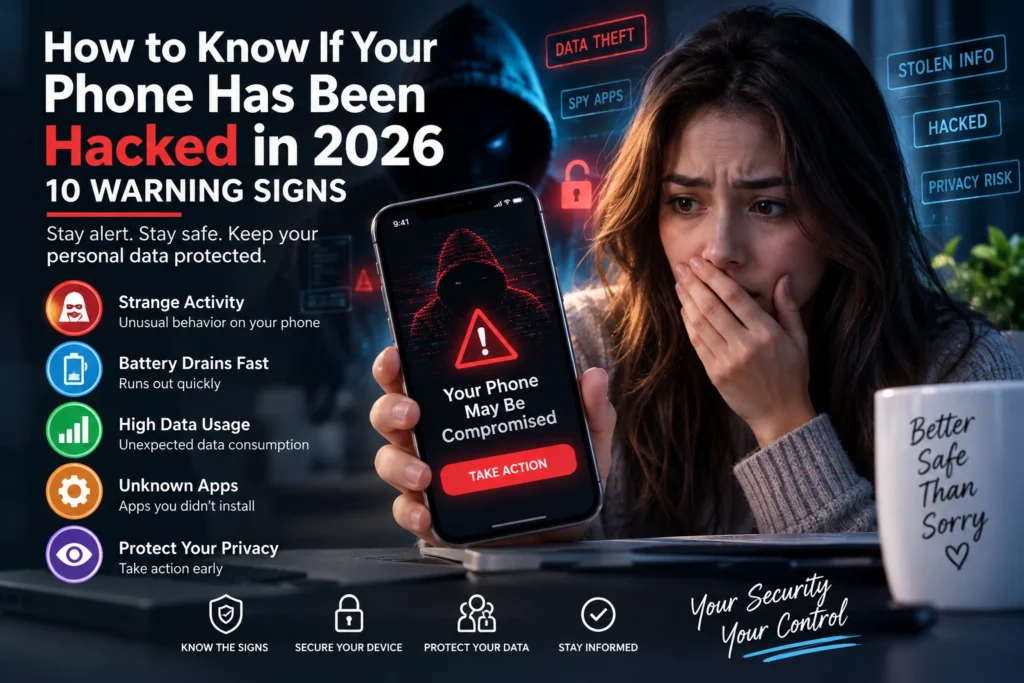
The better approach is to look for several warning signs together, especially unexplained account changes, unfamiliar apps, unexpected login alerts, unusual data use, or settings you did not change. This guide explains 10 signs worth investigating and what to do if you believe your phone or accounts have been compromised.
Can You Really Tell If Your Phone Has Been Hacked?
There is no single symptom that proves a phone has been hacked. Battery problems, overheating, crashes, and slow performance can also be caused by aging hardware, software bugs, demanding apps, or poor network conditions.
However, the Federal Trade Commission notes that spyware or stalkerware can sometimes be associated with faster battery drain, unexpected data usage, overheating, and a phone turning off and on unexpectedly. Account-security alerts can provide additional evidence when someone is trying to access your online accounts.
1. Your Battery Suddenly Drains Much Faster
A noticeable and unexplained change in battery life deserves attention. Malicious or unwanted software running in the background can consume power, although legitimate apps and an aging battery can produce the same symptom.
Check your phone’s battery-usage settings to see which apps are consuming the most power. An unfamiliar application or an app using far more battery than expected is worth investigating.
2. Your Phone Is Overheating Without Heavy Use
Phones normally become warm while gaming, charging, recording video, navigating, or running demanding applications. Persistent heat while the phone is mostly idle can indicate that something is operating in the background.
Overheating alone does not prove compromise, but the FTC lists unusual overheating among the possible performance changes associated with stalkerware. Treat it as one clue rather than a diagnosis.
3. Mobile Data Usage Has Increased Unexpectedly
If your data usage suddenly rises even though your habits have not changed, check which applications are responsible. Unwanted software may communicate over the internet, while legitimate causes can include cloud backups, video streaming, operating-system updates, or social media apps.
Android and iPhone settings can show cellular-data usage by application. Review the list for apps you do not recognize or activity that does not match your normal use.
4. You Find Apps You Do Not Remember Installing
Review your installed applications periodically. An unfamiliar app deserves investigation, particularly if it has sensitive permissions such as access to your location, microphone, camera, contacts, accessibility features, or messages.
CISA recommends using curated app stores, deleting apps you no longer need, and granting applications only the privileges they require. Be careful before deleting something simply because its name is unfamiliar, however, because phones also contain legitimate system components.
5. You Receive Login Alerts You Do Not Recognize
An unexpected alert about a new login, password reset, changed email address, or changed phone number is a stronger warning sign than ordinary performance problems. The FTC identifies unauthorized login attempts and account-detail changes as signs that an online account may have been compromised.
Do not follow links in a suspicious message. Open the official app or type the service’s known website yourself, review recent account activity, and secure the account if the activity was not yours.
6. Messages or Posts Are Sent Without You
If contacts tell you they received strange messages from your account, or you discover posts, emails, or direct messages you did not send, someone may have access to that account.
Change the affected account’s password using a trusted device, sign out other sessions where the service allows it, review recovery information, and enable two-factor authentication. Also warn contacts not to click unexpected links that appeared to come from you.
7. Your Phone Restarts or Behaves Strangely
Unexpected restarts, crashes, settings changes, or other unusual behavior can justify further investigation. These problems can also result from ordinary software or hardware faults, so avoid assuming that every glitch is a cyberattack.
Install legitimate operating-system and app updates first. Both the FTC and CISA recommend keeping mobile software updated because updates can contain important security protections and fixes.
8. Your Camera, Microphone, or Location Seems Active Unexpectedly
Modern phones provide privacy controls that show which applications have access to sensitive features. If an app has camera, microphone, or location permissions that do not make sense for its purpose, review or remove those permissions.
The FTC warns that stalkerware may be capable of tracking location, reading messages, accessing photos, or using a device’s microphone. Regular permission reviews can therefore be a useful part of phone security.
9. You Cannot Access an Important Account
If a password that you know is correct suddenly stops working, especially after receiving an account-change notification, the account may have been taken over. Use the provider’s official recovery process rather than links sent in unsolicited messages.
After regaining access, the FTC recommends changing the password, signing out other devices, enabling two-factor authentication, checking recovery information, and looking for unauthorized activity such as email-forwarding rules.
10. Someone Knows Private Information They Should Not Know
This warning sign is particularly relevant to spyware or stalkerware. If another person consistently knows your exact location, private conversations, websites you visit, or who you communicate with despite having no legitimate way to know, consider the possibility that your device or accounts are being monitored.
If you suspect monitoring by an abusive partner or another person who has physical access to your phone, prioritize personal safety. The FTC cautions that removing stalkerware can alert the person monitoring the device. Consider seeking help from a separate trusted device before changing the suspected phone.
What to Do If You Think Your Phone Has Been Hacked
Start by separating a device problem from an account problem. Review recent account logins, installed apps, app permissions, battery use, data use, and security notifications. Install legitimate operating-system and application updates and run an appropriate security scan where available.
For accounts showing suspicious activity, change passwords from a trusted device, use unique passwords, sign out unknown sessions, verify recovery information, and enable multi-factor authentication. CISA recommends phishing-resistant FIDO authentication where feasible; authenticator-based methods are generally preferable to relying solely on SMS for higher-risk accounts.
Should You Factory Reset the Phone?
A factory reset is a significant step because it removes data and applications. It should not automatically be the first response to every battery or performance problem. If you have strong evidence of malicious software and simpler remediation has not resolved it, a reset may be appropriate after protecting important data and understanding what will be erased.
The FTC notes that a full factory reset may remove stalkerware, but in a stalking or domestic-abuse situation preserving evidence and personal safety can be more important than immediately changing the device. In that situation, seek specialized assistance before making changes that could alert the person monitoring you.
How to Make Your Phone Harder to Compromise
Use a strong screen lock, keep the operating system and apps updated, download applications from trusted stores, review app permissions, and remove software you no longer use. Turn on the phone’s lost-device features and maintain backups of important information.
Protect important online accounts with unique passwords and multi-factor authentication. Be cautious with unexpected links and attachments in texts, email, and social messages. A message that creates urgency is not a reason to bypass normal security checks.
Frequently Asked Questions
Does fast battery drain mean my phone is hacked?
No. It can be a warning sign, but battery age, background apps, poor reception, updates, and heavy use can also drain a battery. Look for additional evidence before concluding that the phone is compromised.
Can hackers see what I do on my phone?
Certain malicious software can potentially access sensitive information or monitor device activity depending on its permissions and capabilities. Keeping software updated, limiting app permissions, and securing accounts can reduce risk.
What should I do first after an unknown login alert?
Open the service through its official app or known website instead of clicking the alert’s link. Check recent activity, change the password if necessary, sign out unknown sessions, verify recovery information, and enable multi-factor authentication.
Should I delete every app I do not recognize?
No. Some unfamiliar names belong to legitimate system services. Research the app or check official device documentation before removing system components. Apps that you installed but no longer need can be removed.
Can a factory reset remove malicious software?
A factory reset can remove many unwanted applications and is one possible remediation step, but circumstances differ. Back up important information first, and seek professional or safety assistance when spyware, stalking, or targeted compromise is suspected.
Final Thoughts
No single warning sign proves that your phone has been hacked. The strongest reason for concern is usually a combination of unexplained device behavior and concrete security evidence, such as unauthorized logins, changed account information, unfamiliar apps, or activity you did not perform.
Act methodically rather than panicking: verify suspicious activity, update the device, review permissions, secure important accounts, enable strong multi-factor authentication, and seek trusted technical help when necessary. This article is general cybersecurity education and is not a substitute for device-specific technical support or professional incident response.
Sources and Further Reading
For consumer phone-security guidance, see FTC: How To Protect Your Phone From Hackers and FTC: Stalkerware — What To Know. For mobile cyber hygiene, see CISA’s Mobile Device Cybersecurity Checklist for Consumers.